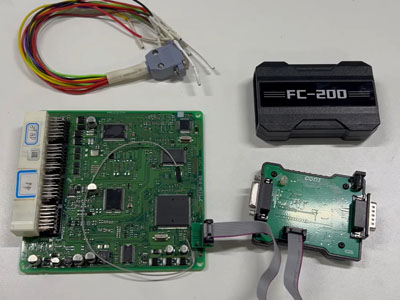

Essential Tools for the Task
To successfully read the Hyundai Delphi DCM7.1AP ECU, ensure you have the following equipment ready:
- CG FC200 automotive programmer
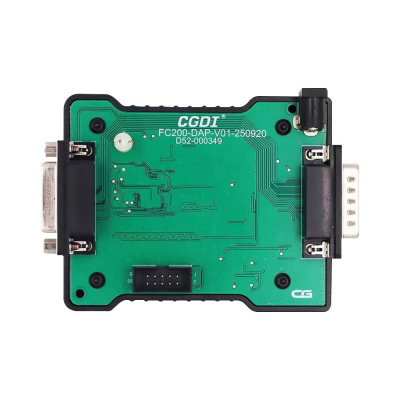
- Latest version of the DAP adapter
- Stable 12V external power source
DAP Adapter Connection Techniques
The DAP adapter is a versatile tool compatible with several ECU types, including Toyota first-gen DENSO units, Delphi DCM7.1AP and DCM7.24 chips, and PCR2.1 immobilizer data extraction. You can connect it to the FC200 programmer using two different approaches.
First Connection Method: Utilize the included female connector, attaching the male end to the FC200. This provides flexibility and spacing between the devices.
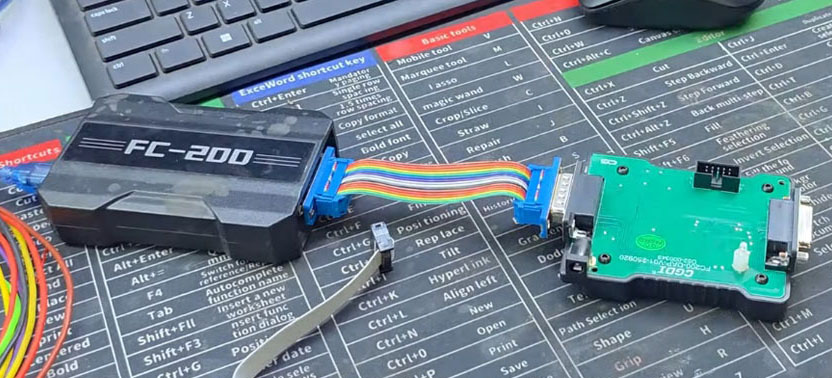
Second Connection Method: Attach the DAP adapter directly to the FC200 programmer as illustrated below for a compact setup.
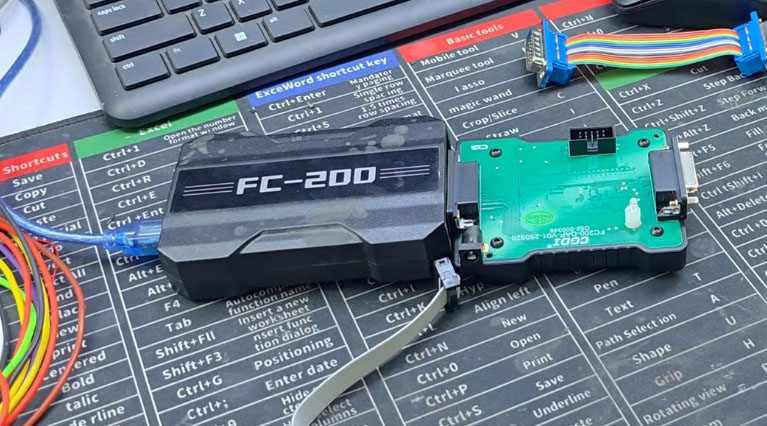
Both configurations are effective. This guide proceeds with the direct connection method for simplicity.
Software Configuration and Memory Reading Procedure
Launch the FC200 software on your computer. Select the appropriate option for Hyundai-Delphi DCM7.1AP (Hyundai TC2771) from the menu.
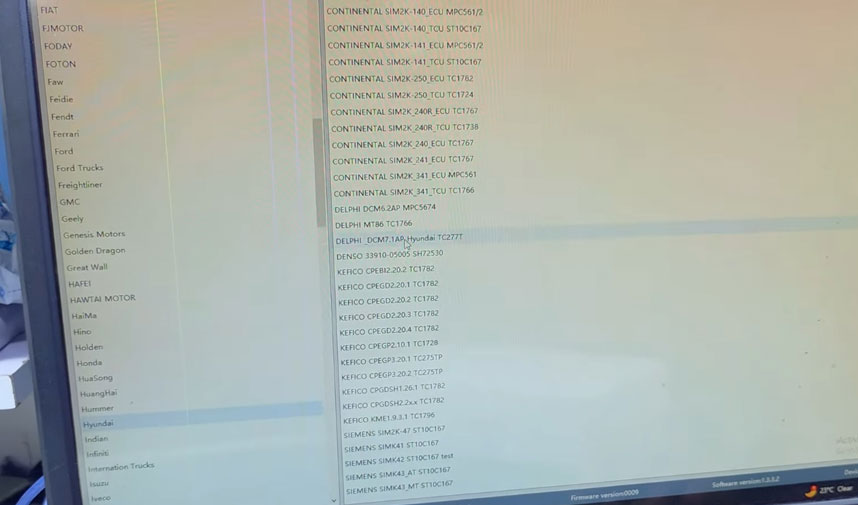
Choose the boot mode operation and carefully examine the wiring diagram to verify all connections are correct.
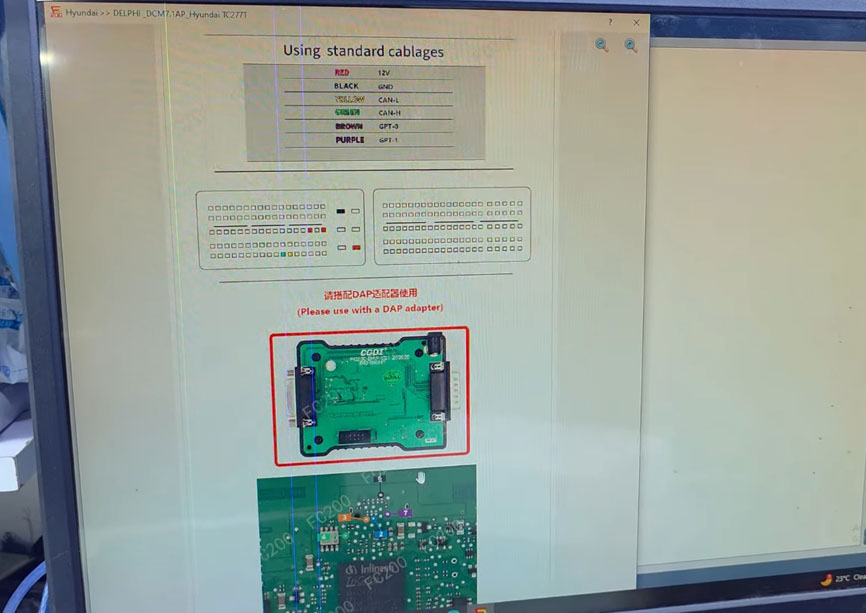
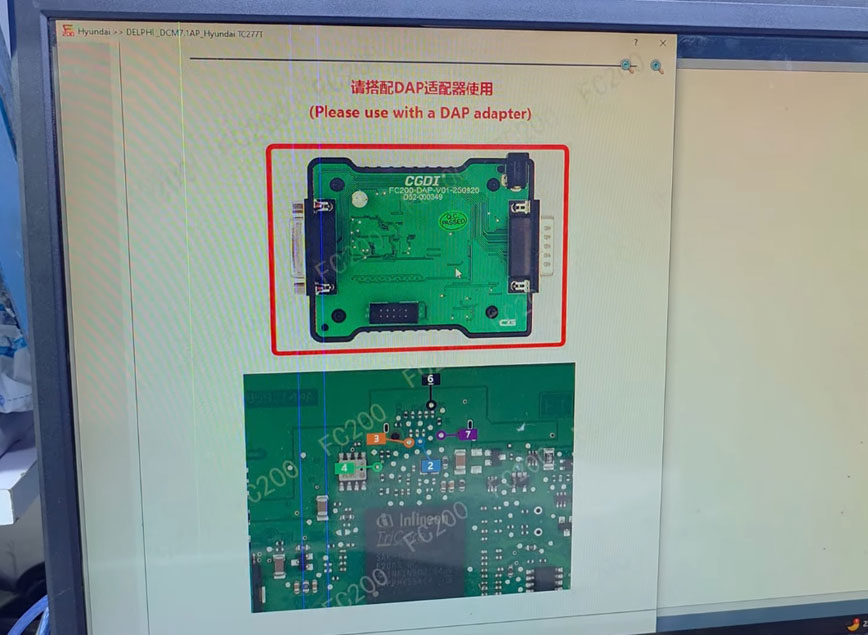
Connect the Hyundai DCM7.1AP ECU to the FC200 programmer using the DAP adapter, and supply 12V power to the system.
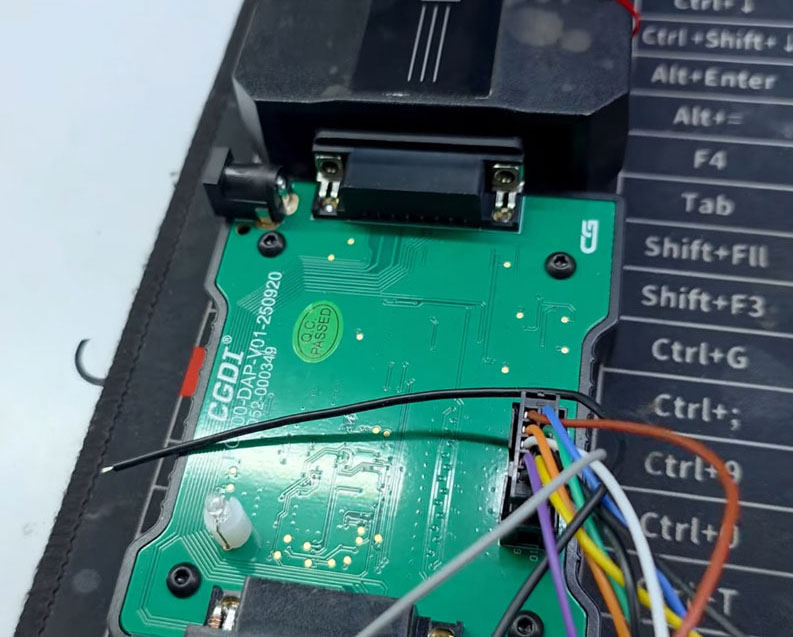
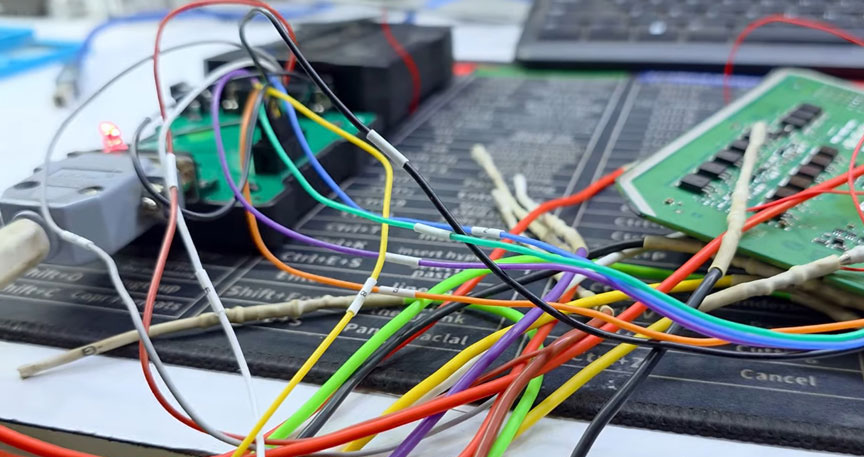
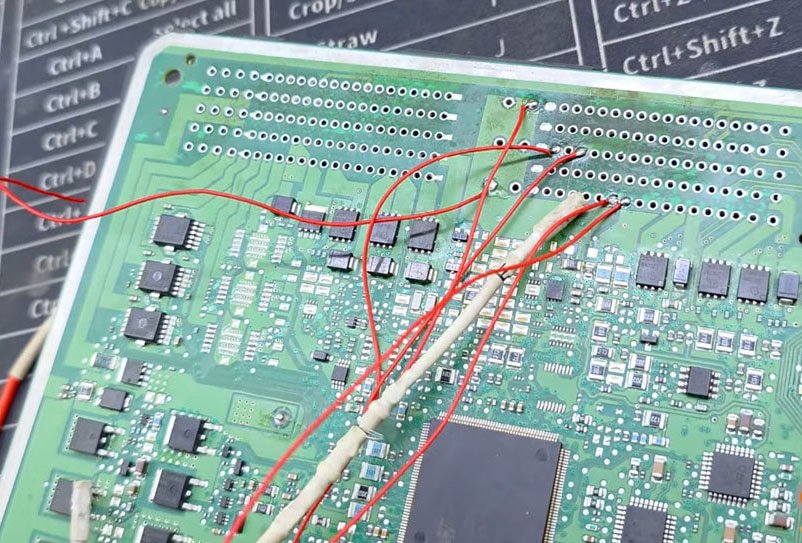
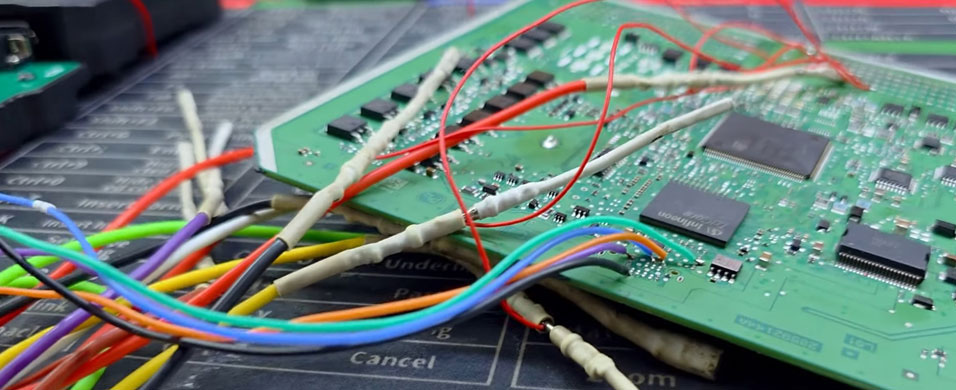
After activating boot mode and establishing a stable connection, initiate the EEPROM (also referred to as Dflash) reading process. The FC200 performs this read operation rapidly.
Save the extracted EEPROM data to a dedicated folder, such as "Hyundai," on your computer.
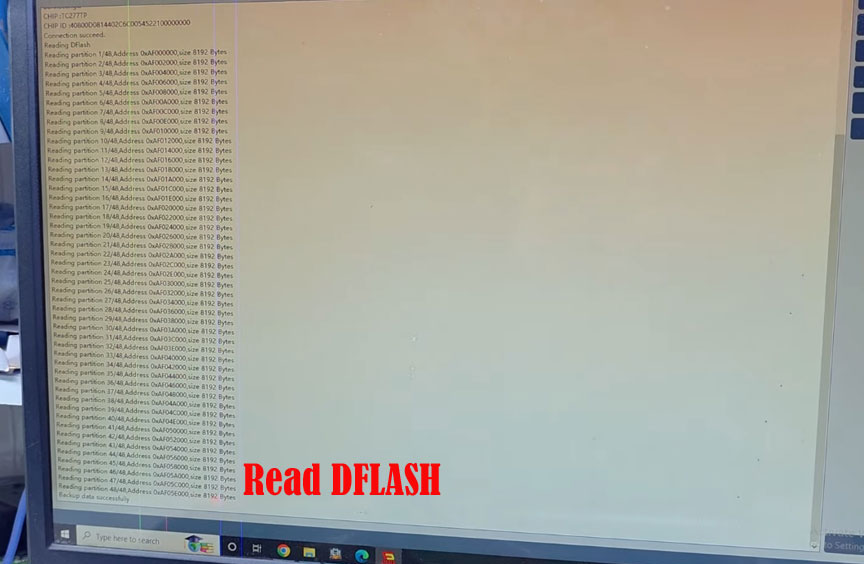
Proceed to read the P-Flash memory. The FC200 programmer showcases high-speed performance during this phase, demonstrating its reliability for Hyundai, VW group, and other vehicle ECUs.
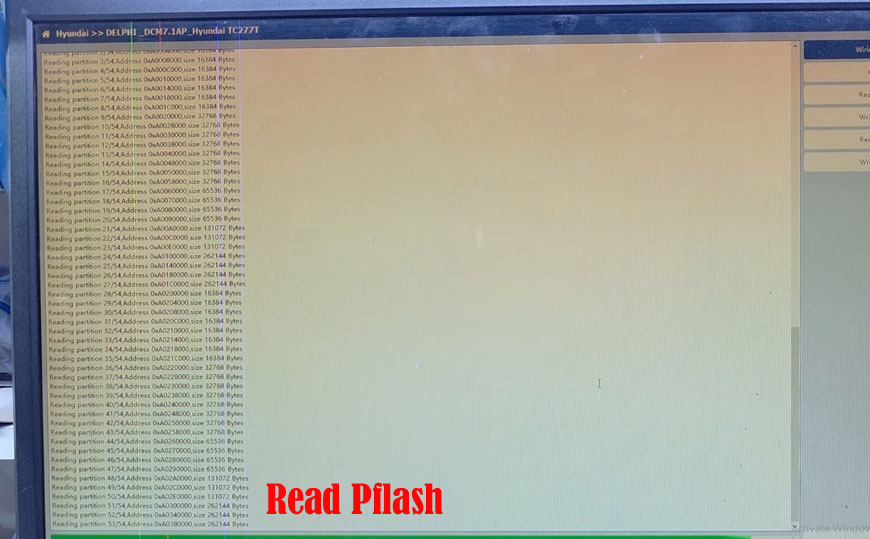
Once the P-Flash read is finished, save the data securely. The same physical connections are used for both EEPROM and P-Flash operations.
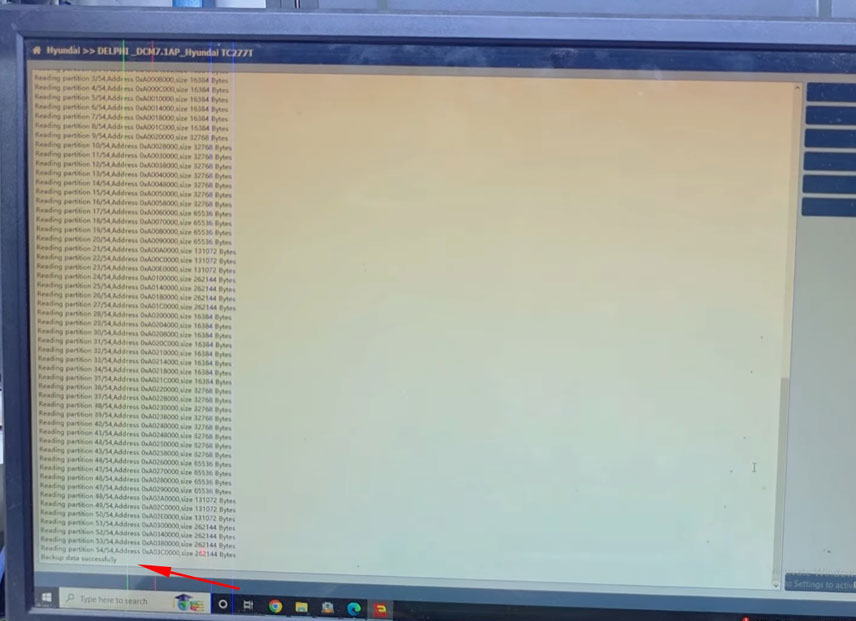
Process completed. The CG FC200 programmer paired with the DAP adapter offers an efficient solution for reading Hyundai Delphi DCM7.1AP ECU memory contents in boot mode.
 WhatsApp:
 Telegram:
 Email: