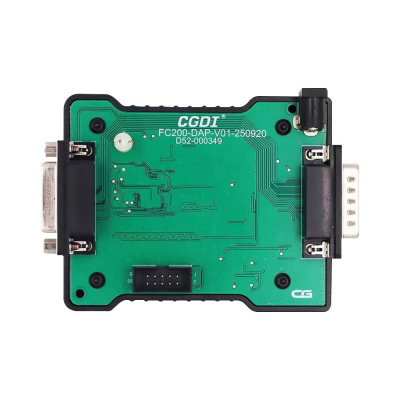

The CG FC200 DAP Adapter is engineered to integrate with the CG FC200 programmer, facilitating data extraction from a range of ECUs. This includes Delphi variants such as 7.1AP and TC277TP, as well as Toyota Denso models like 76F0038GD, 76F0070, 76F0085, 76F0039GD, and 76F0040GD.
This tutorial outlines a straightforward process to configure and read a Toyota 89661-36190 ECU using the updated adapter kit.
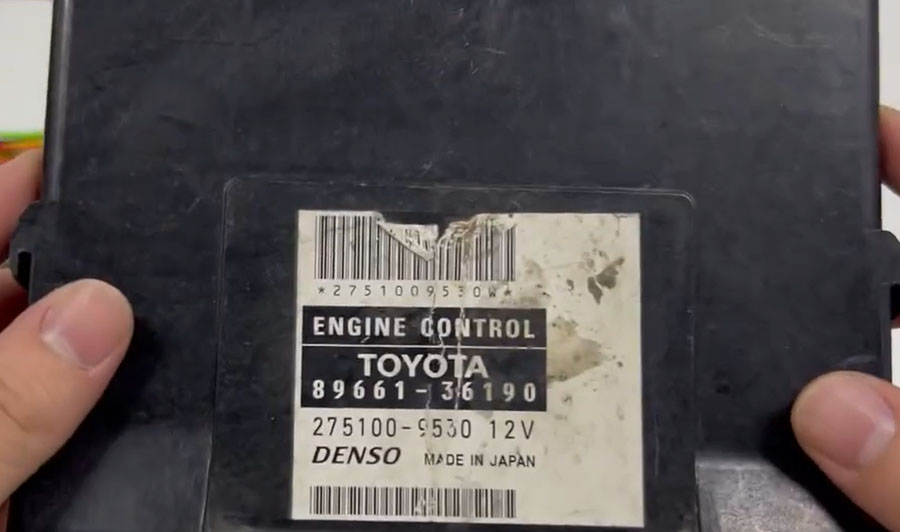
Step 1: Device Connection
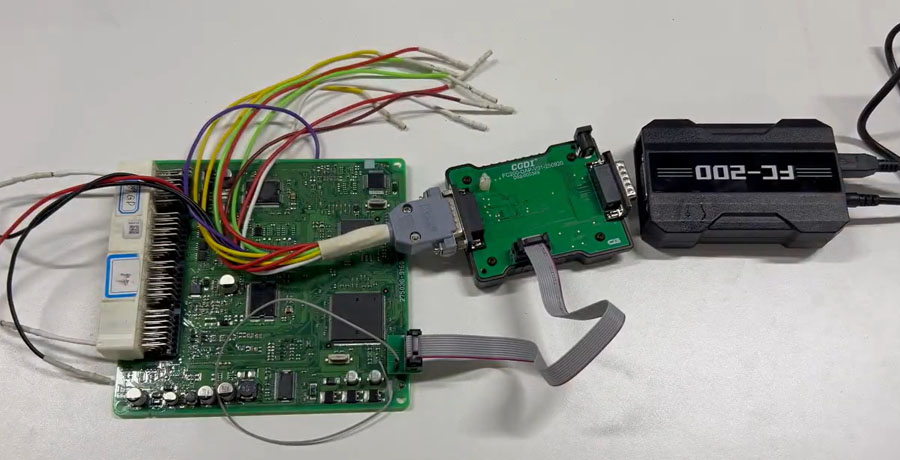
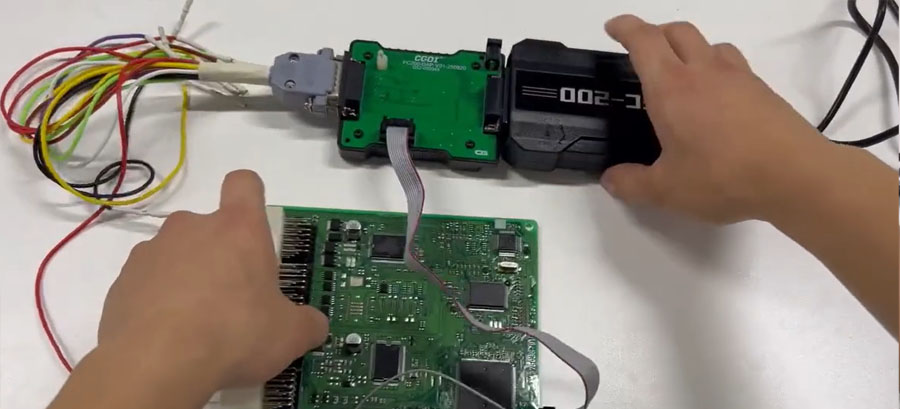
Begin by assembling the adapters in the proper sequence as illustrated.
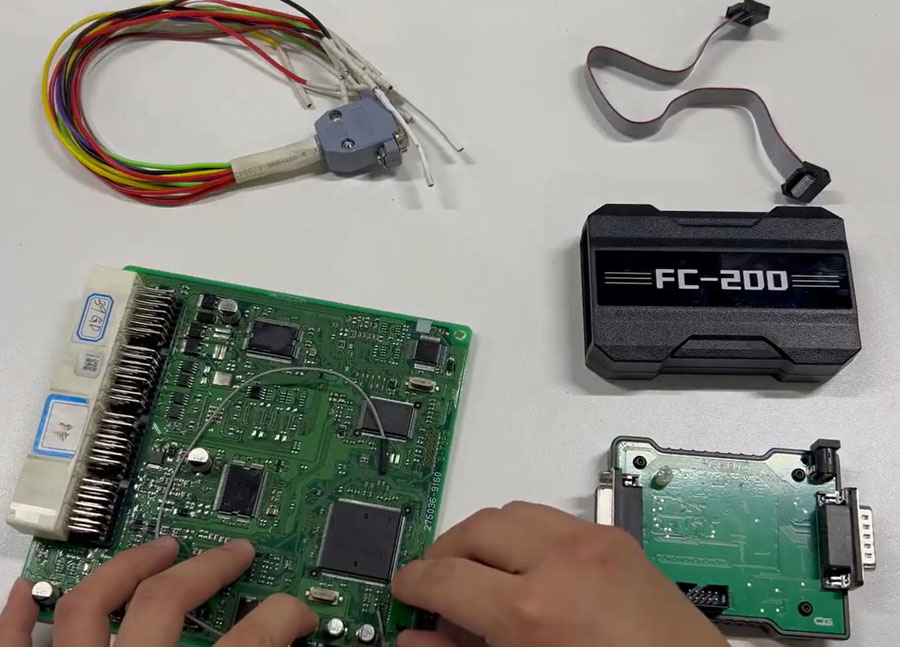
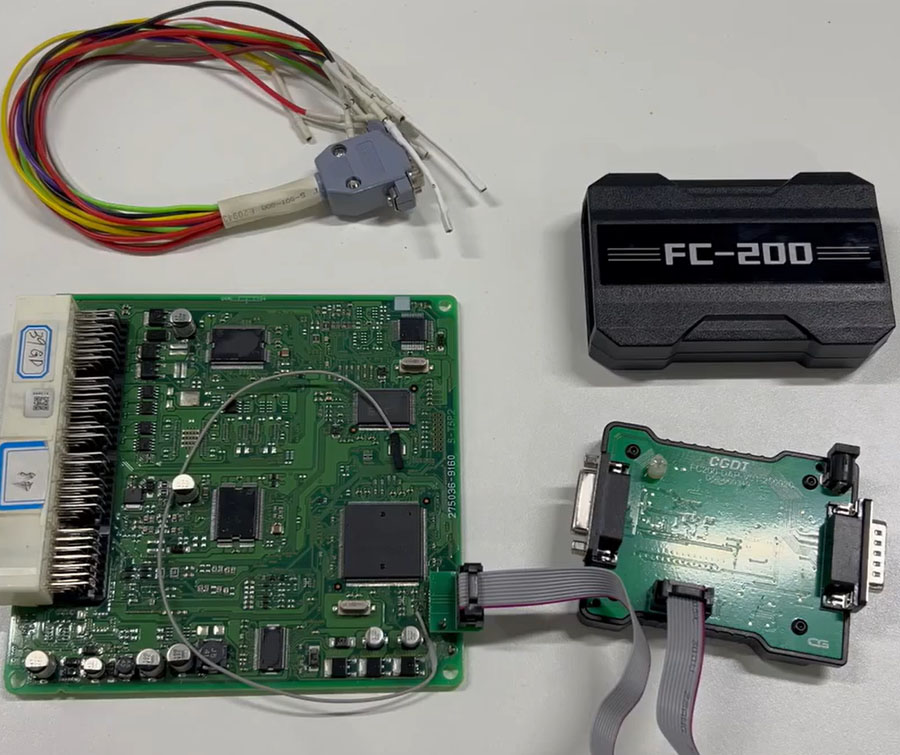
Wire the pins according to the provided diagram for correct connectivity.
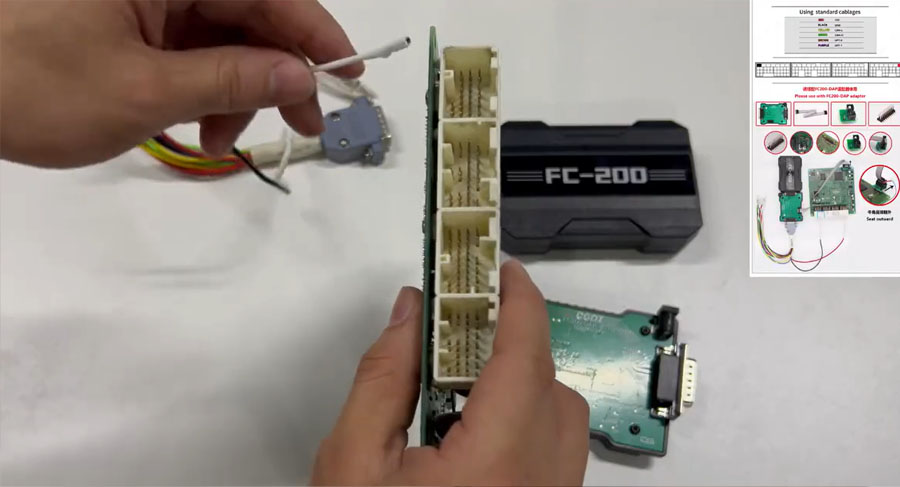
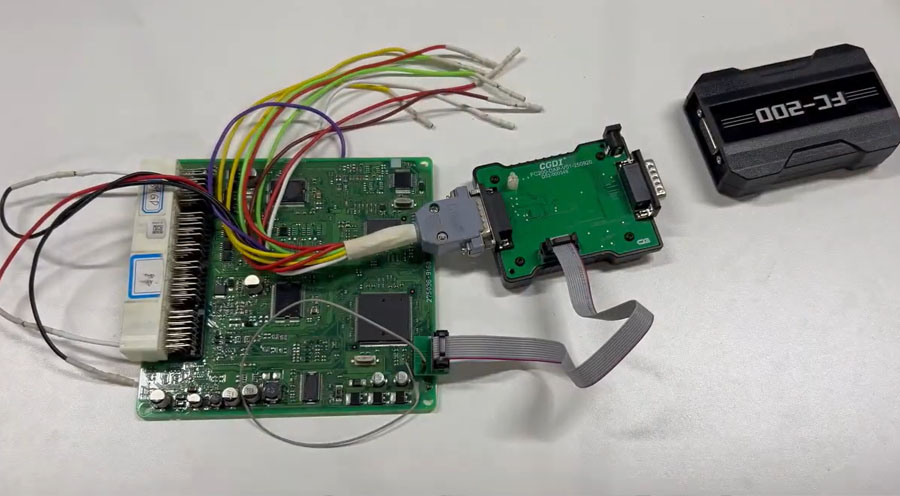
Plug the CG FC200 programmer into a USB port and connect it to a power source.
Attach the FC200 DAP Adapter to the host device, then link the host to your computer.
Step 2: Software Readout Process
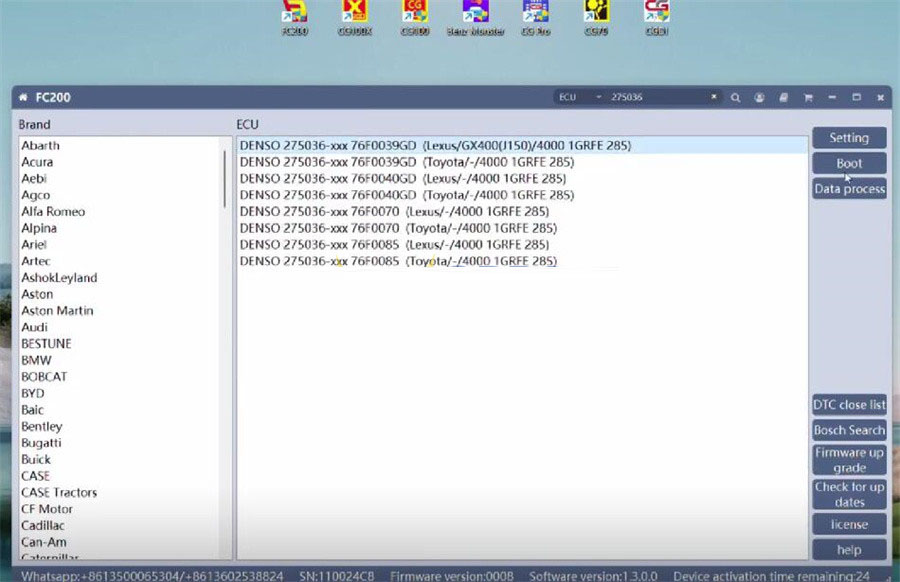
Open the FC200 software application on your computer.
Enter the specific ECU model number—for instance, 275036—into the software interface.
Choose the "Boot" option from the available settings.
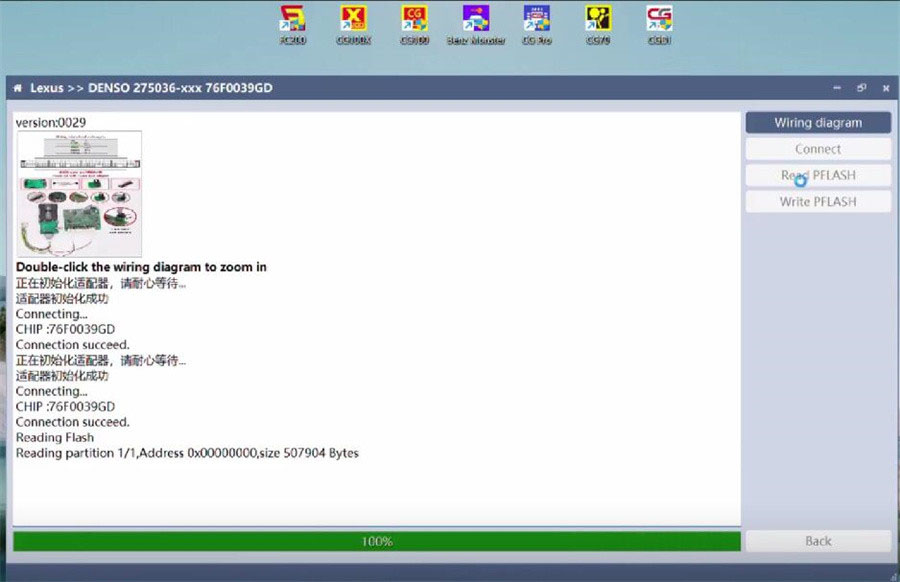
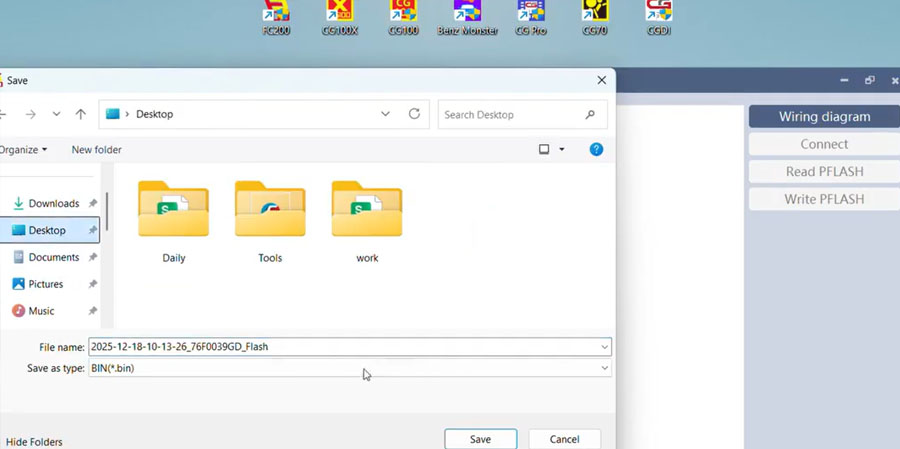
Click the Connect button. After a successful connection, select the Read Flash function to proceed.
Step 3: Finalization
Save the extracted data as a file. This completes the ECU reading procedure successfully.
 WhatsApp:
 Telegram:
 Email: