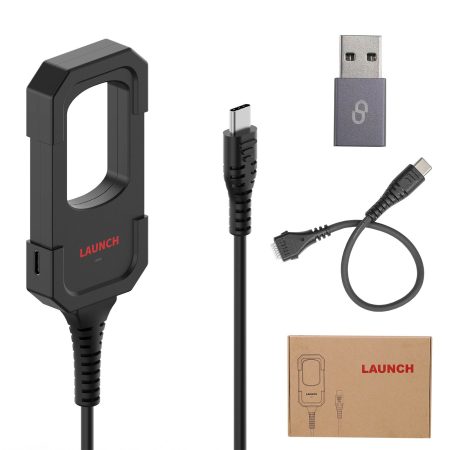

If you encounter a failure during the firmware update to V12.12 on your Launch CRP909, CRP919, or CRP919 BT series device, this guide provides a clear solution to overcome the issue and ensure a successful update.
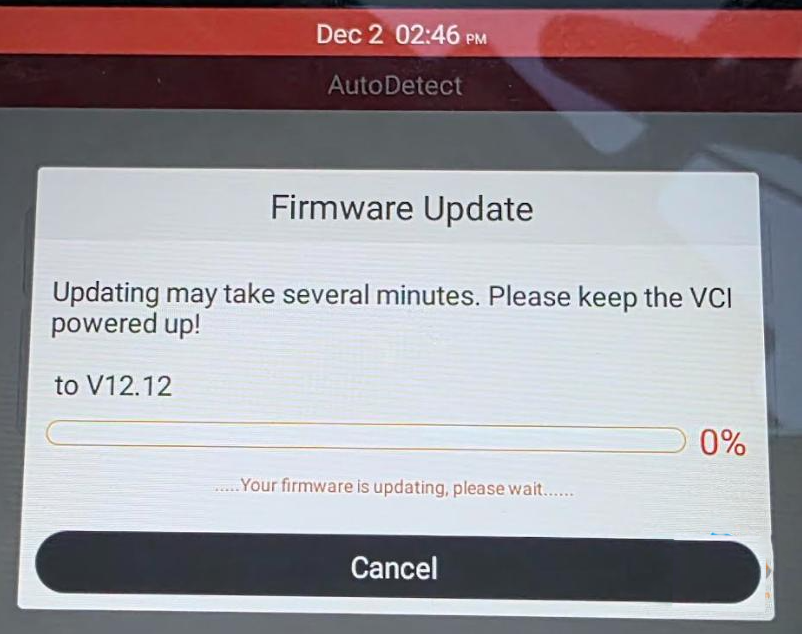
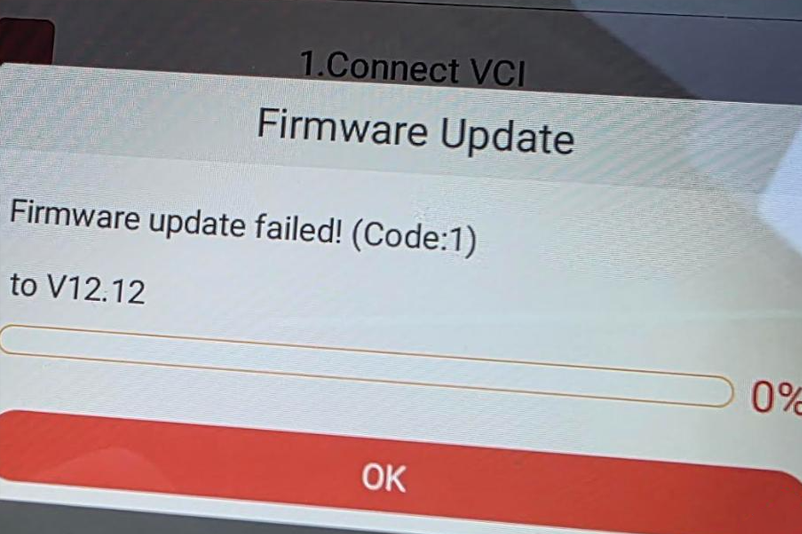
Understanding the Firmware Update Failure
The firmware update process can sometimes fail due to corrupted downloads, network interruptions, or incomplete installations. When the firmware fix fails, it's essential to re-download the firmware and retry the fix procedure to restore your device's functionality.
Solution Overview for Firmware V12.12 Update Failure
This solution focuses on re-downloading the correct firmware file and performing a firmware fix. Follow the steps below carefully to resolve the update problem for the V12.12 firmware version.
Step 1: Re-download the Firmware V12.12
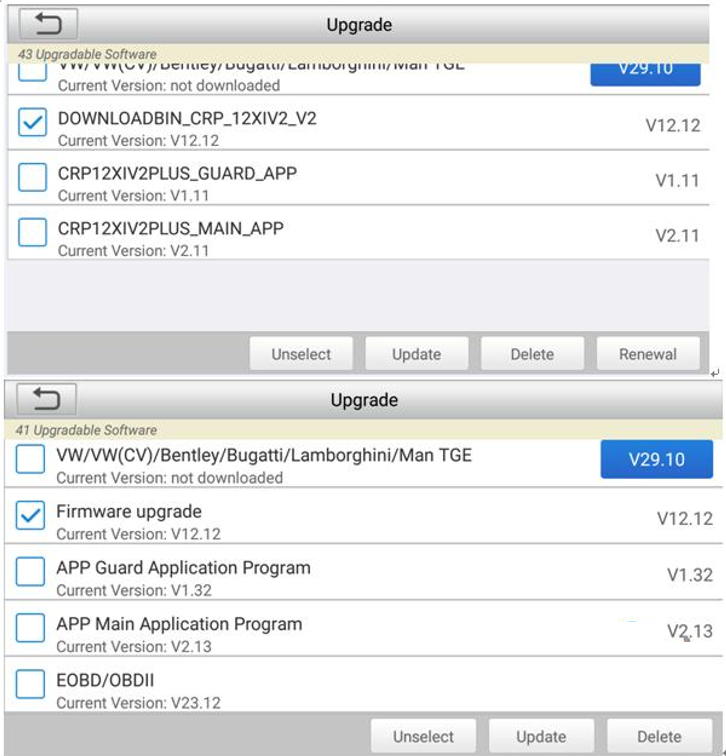
Connect your device to a stable network and navigate to the Update section. Select the firmware file (V12.12) that needs to be re-downloaded, and click Update to initiate the download again. Ensure you choose the appropriate file from the list below associated with V12.12:
- DOWNLOADBIN_CRP_12XIV2_V2 (V12.12)
- Firmware upgrade (V12.12)
- Firmware upgrade Program (V12.12)
- DOWNLOADBIN_CRE_X_V2 (V12.12)
Step 2: Execute Firmware Fix
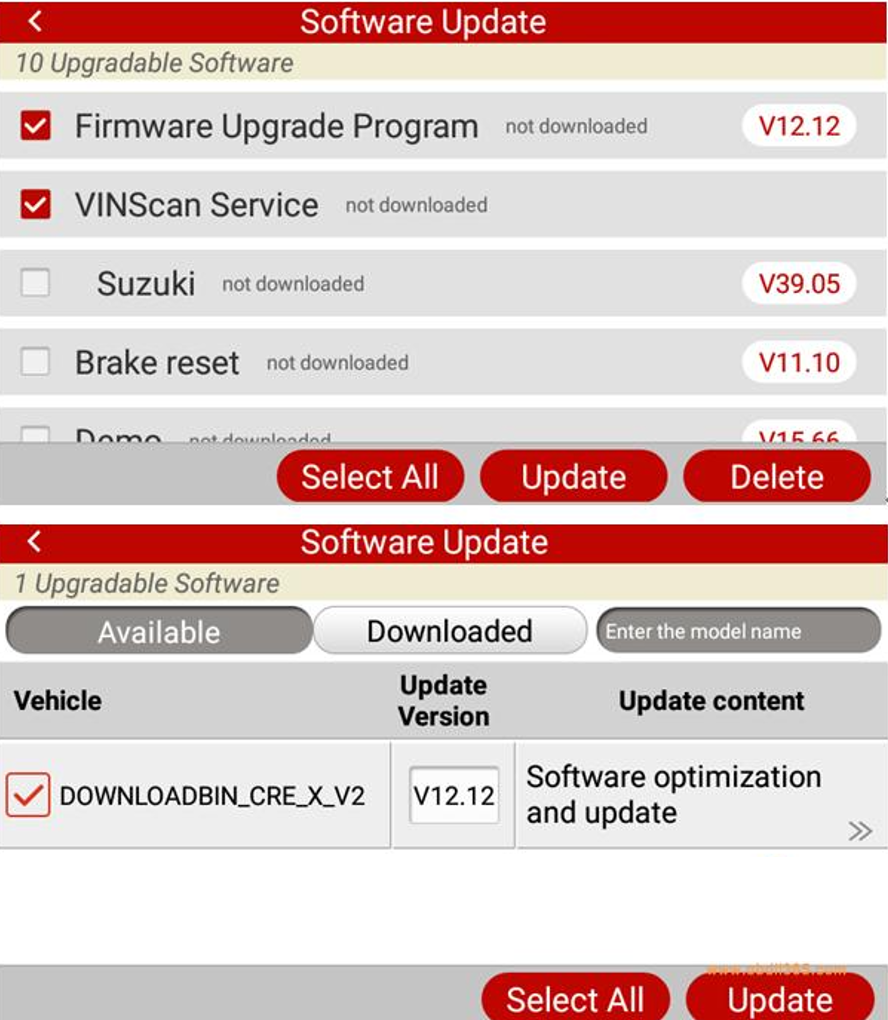
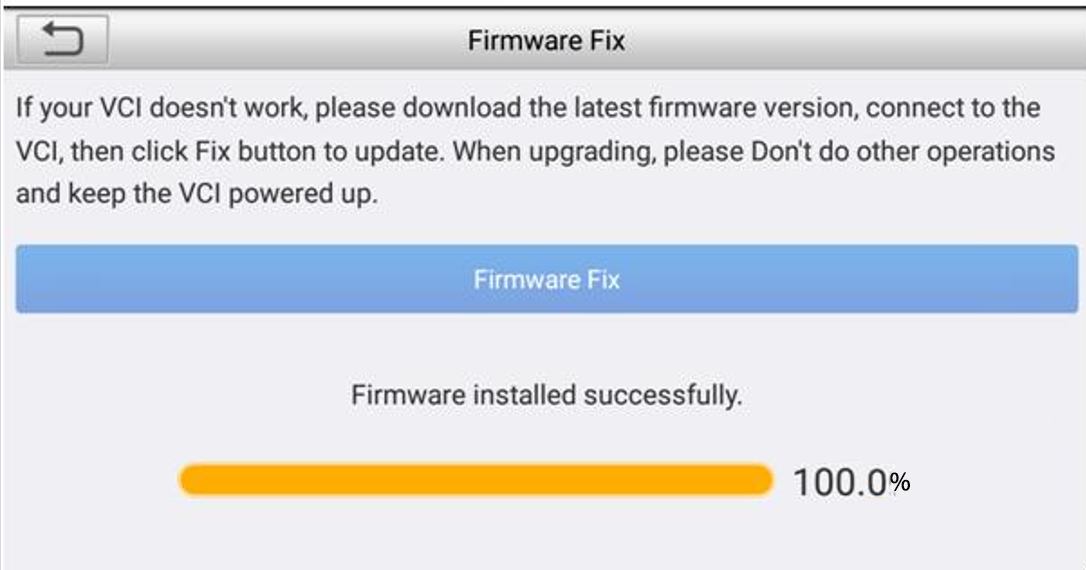
After successfully re-downloading the firmware, return to the main interface of your device. Click on DATA, then go to the Firmware Fix section. Run the Firmware Fix process to complete the repair and finalize the update.
Additional Tips for a Successful Update
Ensure your device has sufficient battery or is connected to a power source during the update. Avoid interrupting the network connection, and double-check that you have selected the correct firmware version for your device model.
Conclusion
By following these steps, you can effectively resolve the firmware V12.12 update failed problem on your Launch CRP series device. If the issue persists, consider consulting the official support resources or contacting technical assistance for further help.
 WhatsApp:
 Telegram:
 Email:
![[Global Version] Launch CRP919E BT Diagnostic Scanner with Bluetooth Supports CAN FD DoIP and ECU Coding 31+ OE-Level Maintenance Functions](https://obd-1317370369.cos.accelerate.myqcloud.com/2025/23090116935612689920-450x450.jpg)
![[Global Version] 2026 LAUNCH CRP919X BT Diagnostic Scanner with Bluetooth Supports CAN FD DoIP and ECU Coding](https://obd-1317370369.cos.accelerate.myqcloud.com/2025/23110816995030674765-450x450.jpg)